
Enhanced API Access
Manage API credentials securely with Enhanced API Access.
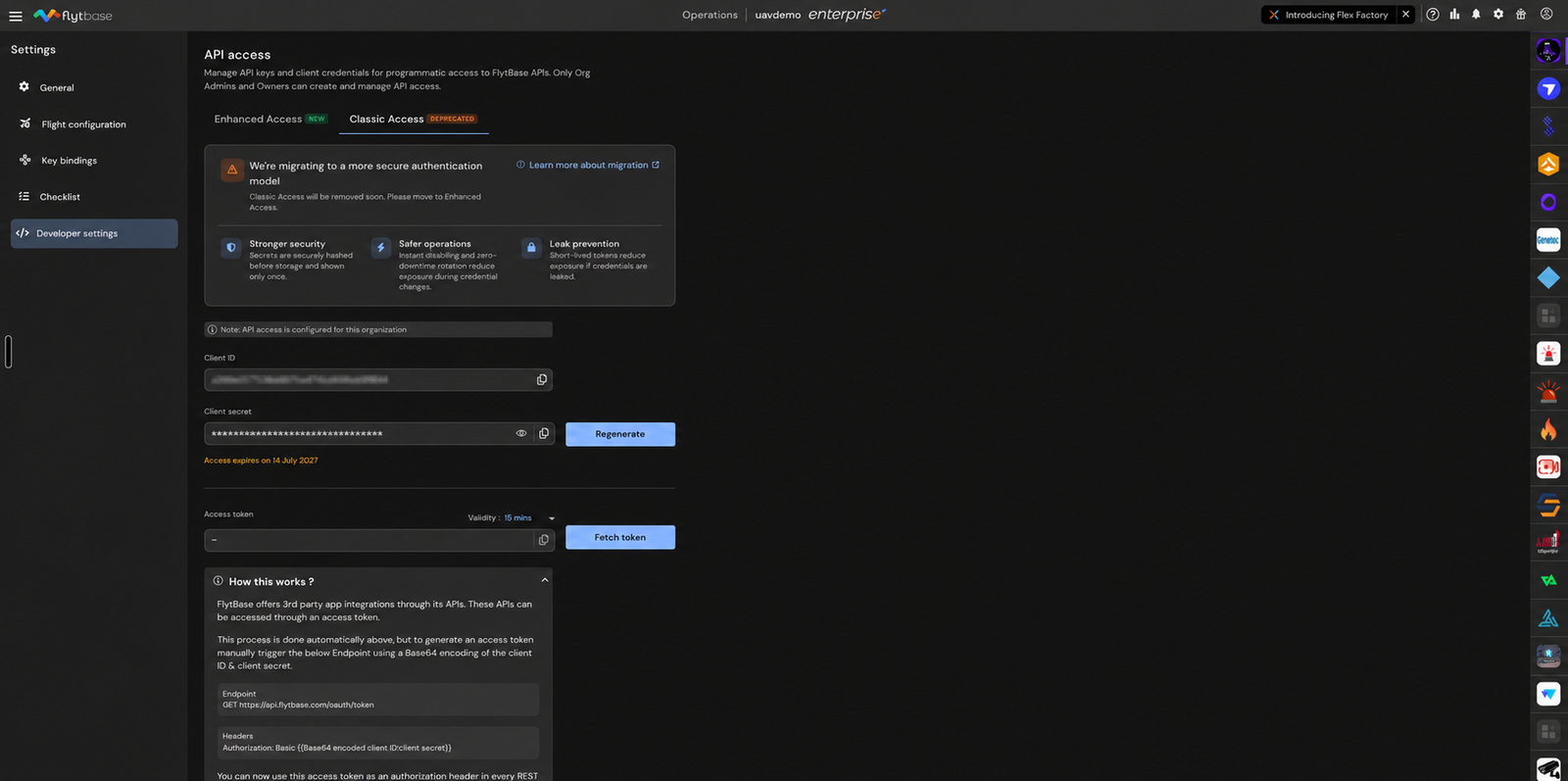
The Enhanced API Access feature by FlytBase introduces a robust method for managing API credentials, offering a significant improvement over traditional access patterns. This feature is designed to provide controlled credentials for each integration, ensuring secure storage and the use of short-lived access tokens. It also allows for the disabling or deletion of access without impacting other systems, making it easier to manage and safer to operate. The Enhanced API Access addresses the challenges posed by older access patterns, which often made it difficult to isolate credentials by integration, enforce lifecycle controls, and minimize the impact when access materials needed replacement. By making each API key or client secret explicit and traceable, this feature enhances security and operational efficiency. It fits seamlessly into the broader FlytBase product workflow, particularly for users who manage multiple integrations and require a secure and manageable way to handle API credentials. The key benefit of Enhanced API Access is its ability to streamline daily operations by offering a safer and more manageable credential management system, ideal for both simple services and complex enterprise integrations.
How It Works
Enhanced API Access operates through a sophisticated credential management system that ensures security and operational control. At the core of this system is the concept of One-Time Secret Visibility, where credential values are visible only at the time of creation. FlytBase retains a protected one-way representation of these credentials, preventing the retrieval of the original secret. This mechanism ensures that even if a credential is exposed, it cannot be reused or compromised further. The system also provides Scoped Operational Control, allowing access to be managed per integration. This means that teams can disable a single credential without affecting other systems, providing a granular level of control over API access.
Another critical component of this system is the use of Short-Lived Client-Credential Tokens. These tokens are issued by client credentials and are designed to be short-lived, reducing the risk if a token is exposed. The tokens can be refreshed using refresh tokens, ensuring that access remains secure and under control. This approach significantly reduces the risk of long-term exposure of credentials and enhances the overall security posture of the system.
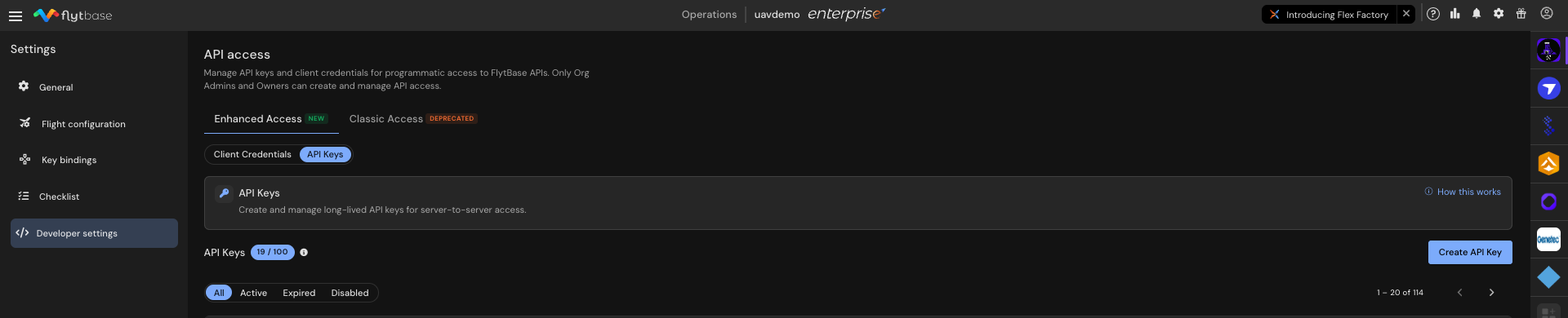
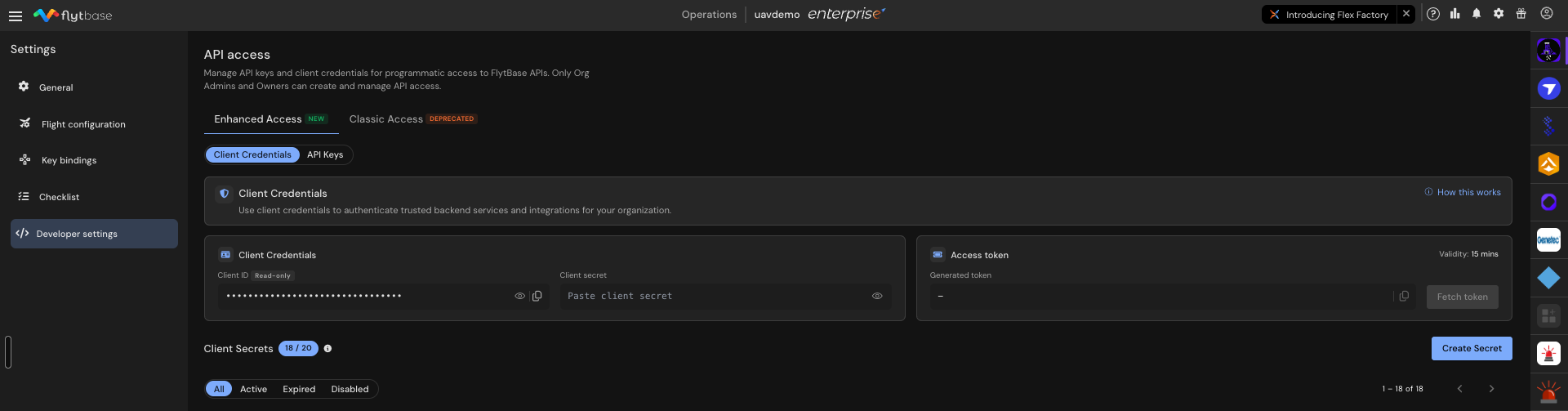
The Enhanced API Access feature supports two primary options for managing credentials: API Keys and Client Credentials. API Keys are used for direct server-to-server API calls with a single bearer credential, making them ideal for simple services. On the other hand, Client Credentials are used for integrations that require exchanging a client ID and secret for short-lived access tokens, which is more suitable for enterprise-level integrations. This dual approach allows for flexibility and scalability in managing API credentials across different types of services and integrations.
Prerequisites
Before using the Enhanced API Access feature, ensure that you have the following prerequisites in place:
- An active FlytBase account with administrative privileges.
- Access to the FlytBase dashboard where API credentials can be managed.
- Understanding of your current API integrations and how they are configured.
Step-by-step Configuration
- Navigate to FlytBase Dashboard > API Credential Management. This is where you can manage all API credentials associated with your account.
- You will see options for both API Keys and Client Credentials.
- Click on Create New API Key. This action will generate a new API key that you can use for server-to-server API calls.
- A dialog will appear showing the new API key. Remember, the key is only visible once at creation.
- Select Client Credentials from the menu. This option allows you to manage client IDs and secrets for token-based access.
- You will see fields for entering a Client ID and generating a Client Secret.
- Enter the required details for Client ID and Client Secret and Click on Generate Access Token. This will create a new client credential set that can be used for API integrations.
- The access token generated is short-lived and can be refreshed using a refresh token.
- Review the list of active, expired, and disabled keys in the API Keys section. This will help you manage the lifecycle of your API keys effectively.
- You can disable or delete keys as needed without affecting other integrations.
Constraints & Limitations
| Component | Details |
|---|---|
| Primary Use | API Keys: Direct server-to-server calls; Client Credentials: Token exchange |
| Secret Visibility | Shown once at creation; not retrievable later |
| Expiry and Replacement | Planned key replacement and deletion; new secrets for token exchange |
| Disable Behavior | Stops API requests or token issuance immediately |
| Best Fit | API Keys: Simple services; Client Credentials: Enterprise integrations |
The constraints of the Enhanced API Access feature are primarily focused on security and operational control. The visibility of secrets is limited to the moment of creation to prevent unauthorized access. This limitation ensures that even if a credential is exposed, it cannot be reused. The planned expiry and replacement of keys ensure that credentials are rotated regularly, reducing the risk of long-term exposure. Disabling a credential immediately stops API requests or token issuance, providing a quick way to mitigate potential security breaches. The feature is best suited for environments where security and integration management are critical.
Edge Cases & Troubleshooting
- Problem: Unable to retrieve the API key after creation.
- Cause: API keys are only visible at the time of creation for security reasons.
- Solution: Ensure you store the API key securely immediately after it is generated.
- Problem: API requests fail after disabling a credential.
- Cause: Disabling a credential immediately stops all API requests associated with it.
- Solution: Review your integrations and ensure that only necessary credentials are disabled.
- Problem: Short-lived tokens expire frequently.
- Cause: Tokens are designed to be short-lived to enhance security.
- Solution: Implement a token refresh mechanism in your application to handle token expiration.
- Problem: Difficulty in migrating from classic to enhanced access.
- Cause: Differences in credential management and security practices.
- Solution: Follow the migration guide provided by FlytBase to transition smoothly.
Related Pages
Was this helpful?