Flight Configuration
Configure the flight parameters for drones in your Organization to ensure safe and efficient operations.
Pre-Flight Modules
The Flight Configuration section allows you to set the flight parameters for drones in your Organization, ensuring they perform optimally during missions.
Standard Flight Parameters
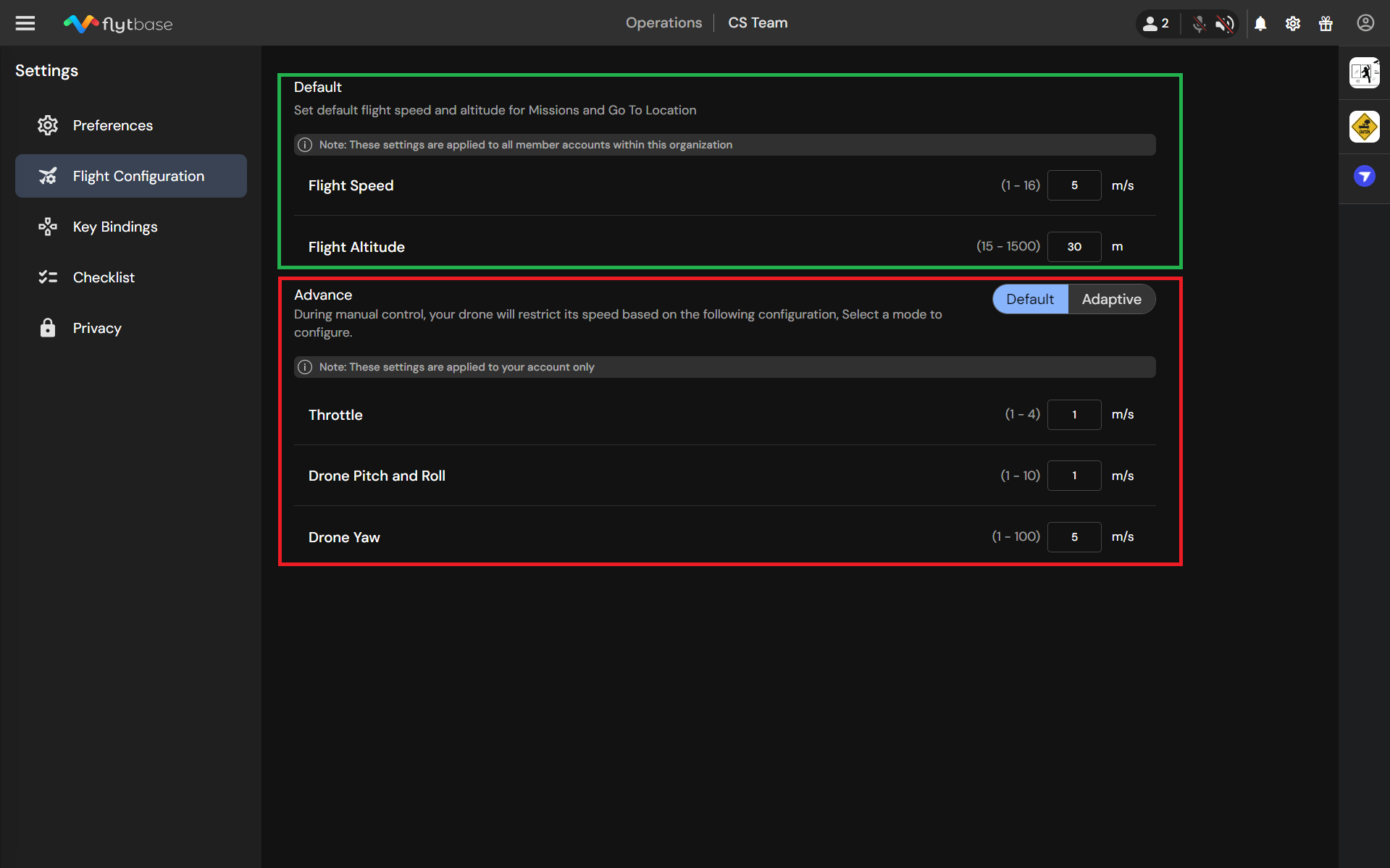
These parameters define the default flight speed and altitude for drone missions. They serve as the baseline settings for new missions.
- Flight Speed: This parameter sets the standard speed for drone missions across the Organization.
Flight Speed settings are not applicable to Go-to Location missions for DJI Dock.
- Flight Altitude: This parameter sets the standard altitude for all missions, including Go-to Location missions.
Advanced Flight Controls
Advanced settings allow you to fine-tune the drone's responsiveness during manual control. These settings can be adjusted in two modes: Standard and Dynamic.
- Standard Mode: In this mode, preset speeds are consistently applied to the drone during manual control, irrespective of altitude.
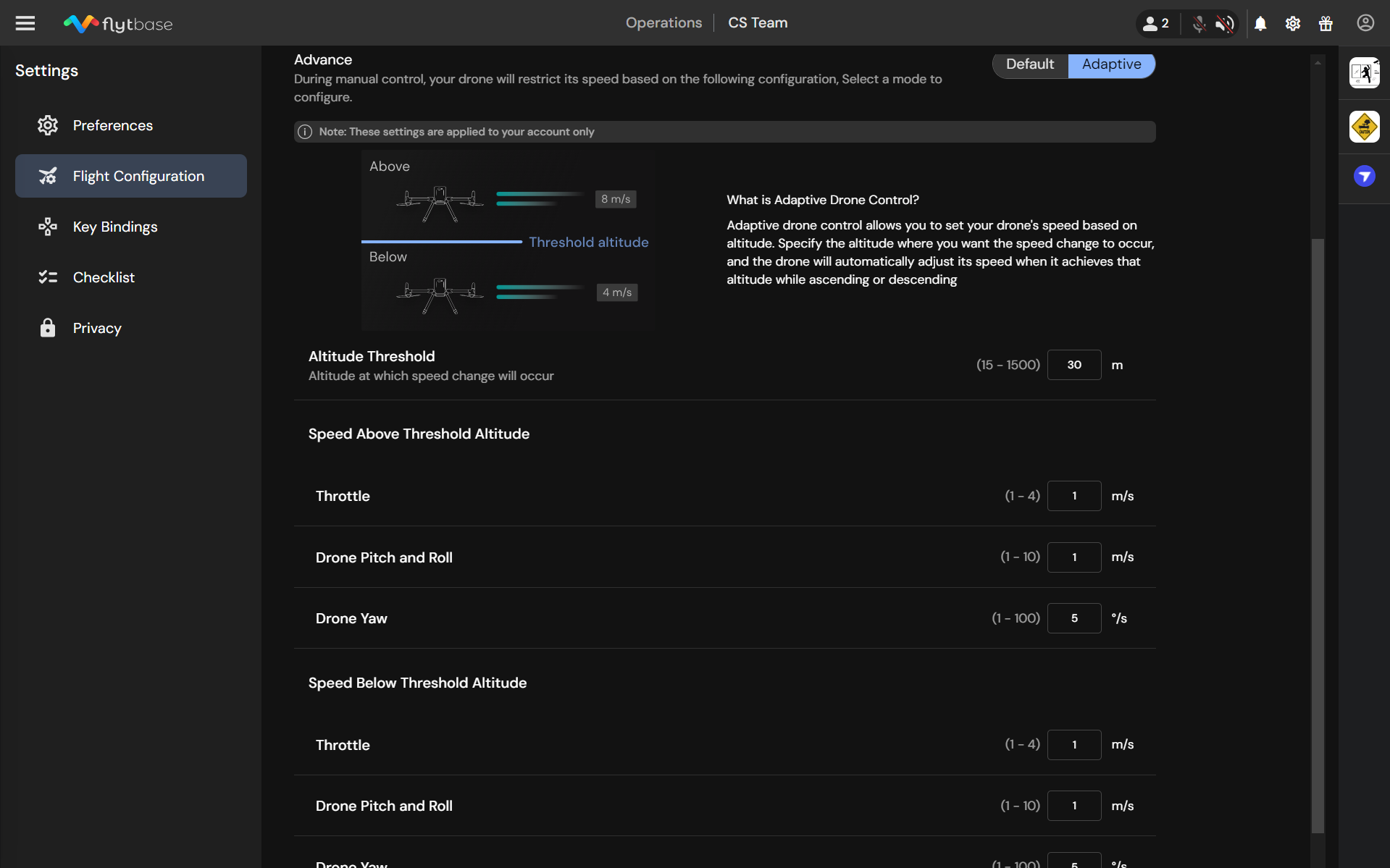
- Dynamic Mode: This mode allows you to set a cutoff altitude. Above this altitude, the drone can operate at higher speeds and responsiveness. Below this altitude, the drone operates at reduced speeds for precision.
Advanced settings are unique to each Organization Member.
Adjustable Parameters in Advanced Controls:
- Throttle: Controls vertical speed, measured in meters per second.
- Pitch and Roll: Adjusts forward, backward, and lateral movement speed, measured in meters per second.
- Yaw: Controls rotational speed around the vertical axis, measured in degrees per second.
- Altitude Threshold: The altitude at which speed changes occur (specific to Dynamic Mode).
Was this helpful?