
Checklist
A guide to including and managing custom items to pre-flight checklist for added safety and regulatory compliance.
Pre-Flight Modules
Operators can customize the pre-flight checklist to comply with local regulations and incorporate specific requirements that must be satisfied before mission execution:
- Accessing the Checklist: Navigate to Settings -> Checklist in the dashboard.
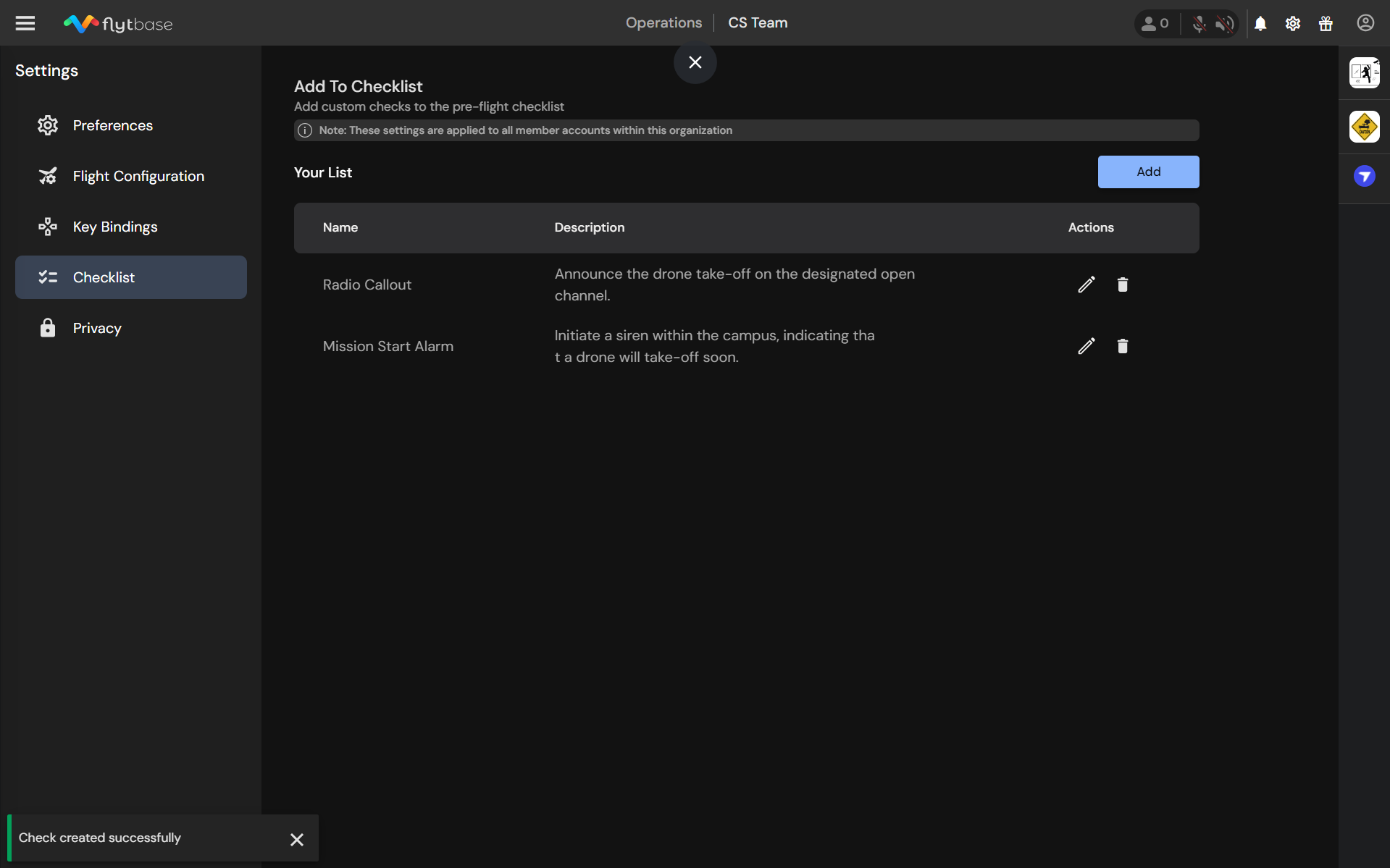
- Adding a New Item:
- Click on Add to introduce a new checklist item.
- Enter a name and description for the item.
- Click Save to add it to your checklist.
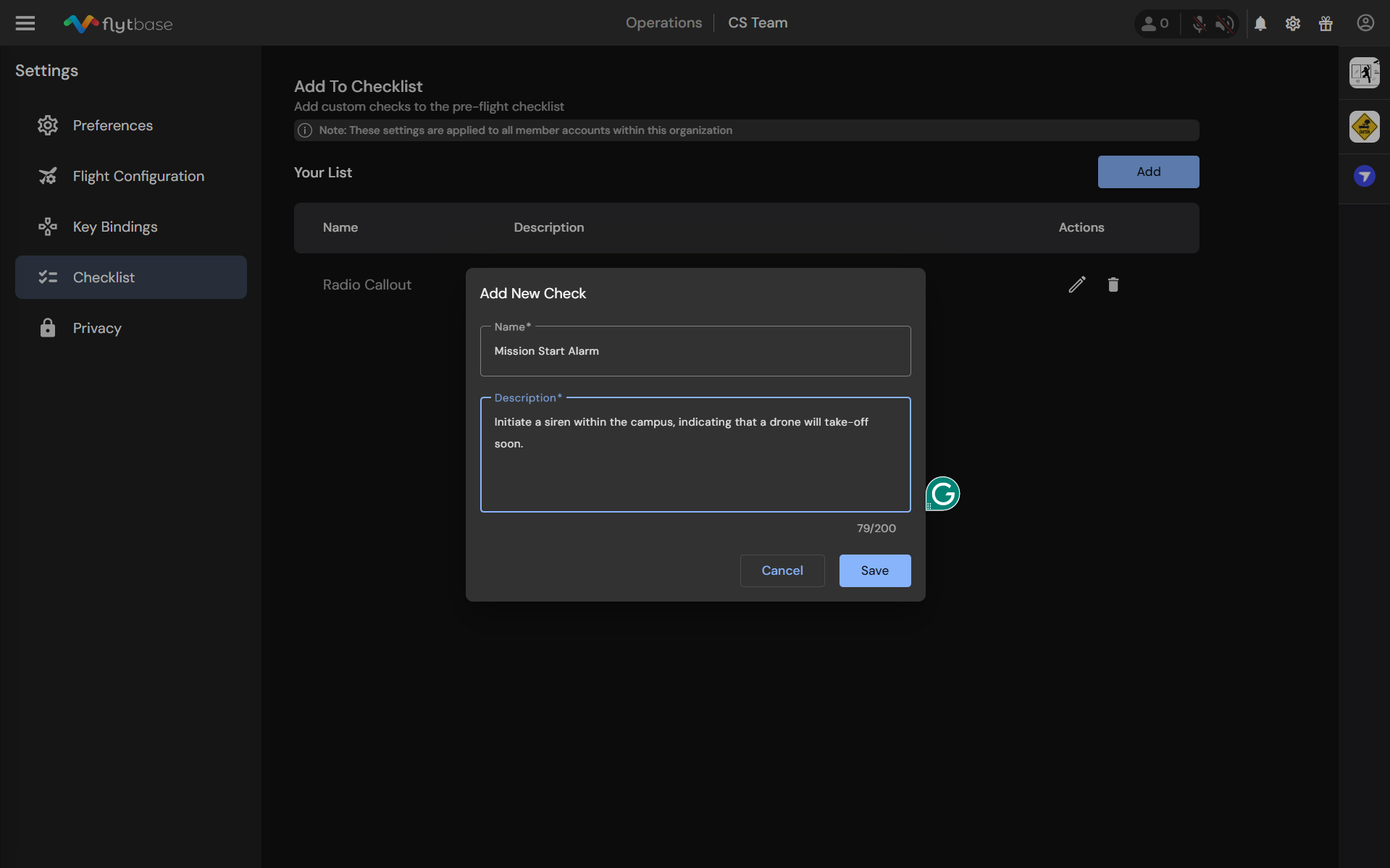
- Editing an Existing Item:
- To make changes, click on theicon.
- Deleting an Item:
- To remove an item, click on theicon.
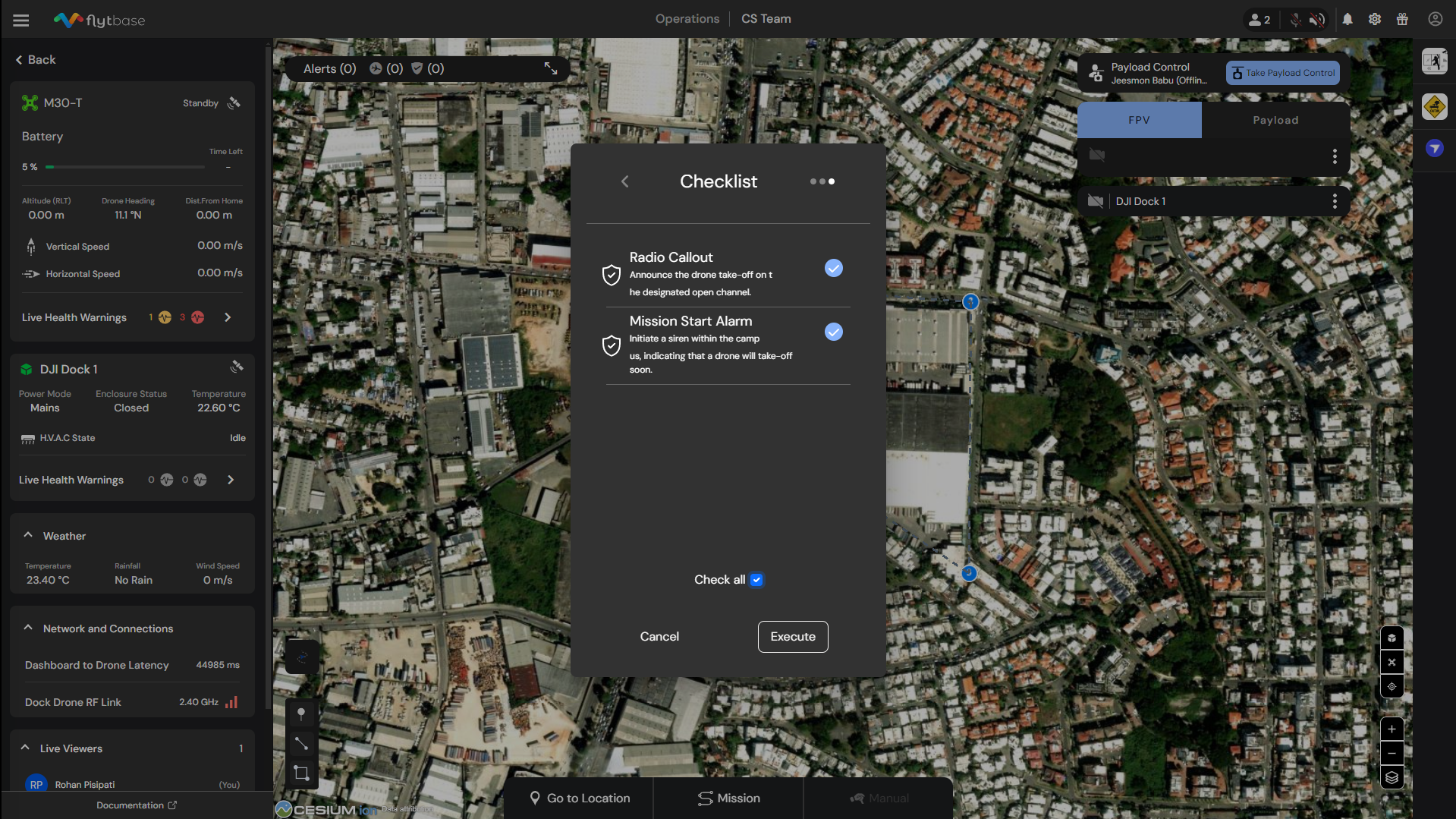
Once these changes are made, the updated checklist will be displayed before the drone is launched, thus ensuring that all checks are completed before a flight.
Was this helpful?