
Activating Device Subscription
Keywords - Management Console, Device Subscription, Activation Code
Device Management
To get started with your drone operations on FlytBase, you will need to activate your Device Subscription.
Contact support@flytbase.com to obtain your Activation Code.
- Go to Management Console: Click the icon at the top right of the FlytBase Dashboard and select My Organizations. This will open the Management console.
- Manage your Organization: Click the Manage button for the Organization where the new Device has been added.
- Navigate to Device Subscriptions: Select Device Subscriptions from the left panel.
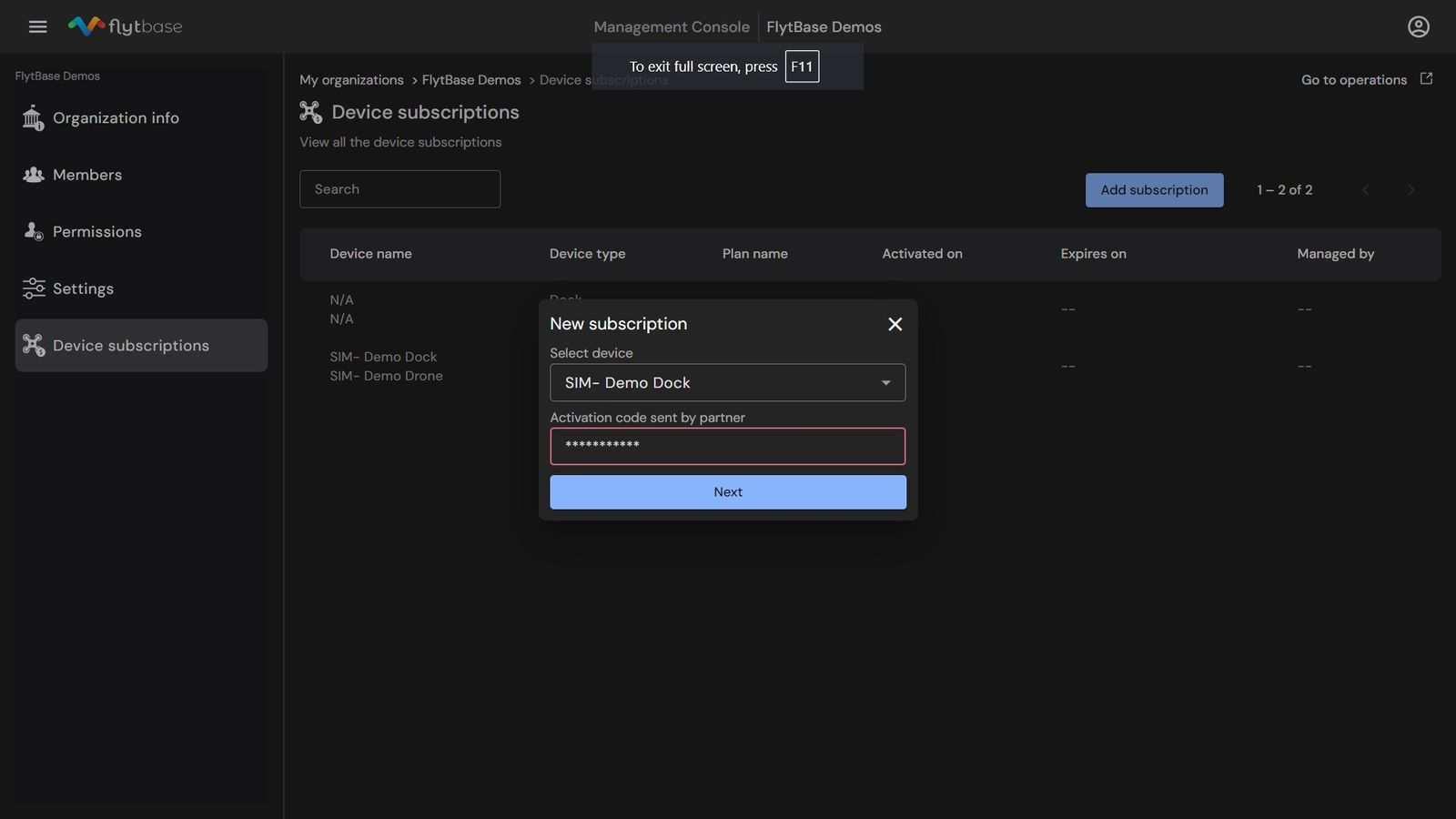
- Add a New Subscription: Click the Add Subscription button.
- Activate the Subscription:
- In the dialog box, select the Device from the drop-down list.
- Enter the Activation Code provided by FlytBase, and click Next.
- Verify Subscription: The subscription will be activated, and the details of the Device subscription will appear in the list of subscriptions.
Once the subscription is active and its details have been verified, you can begin configuring Device Settings before executing flight operations.
Was this helpful?